
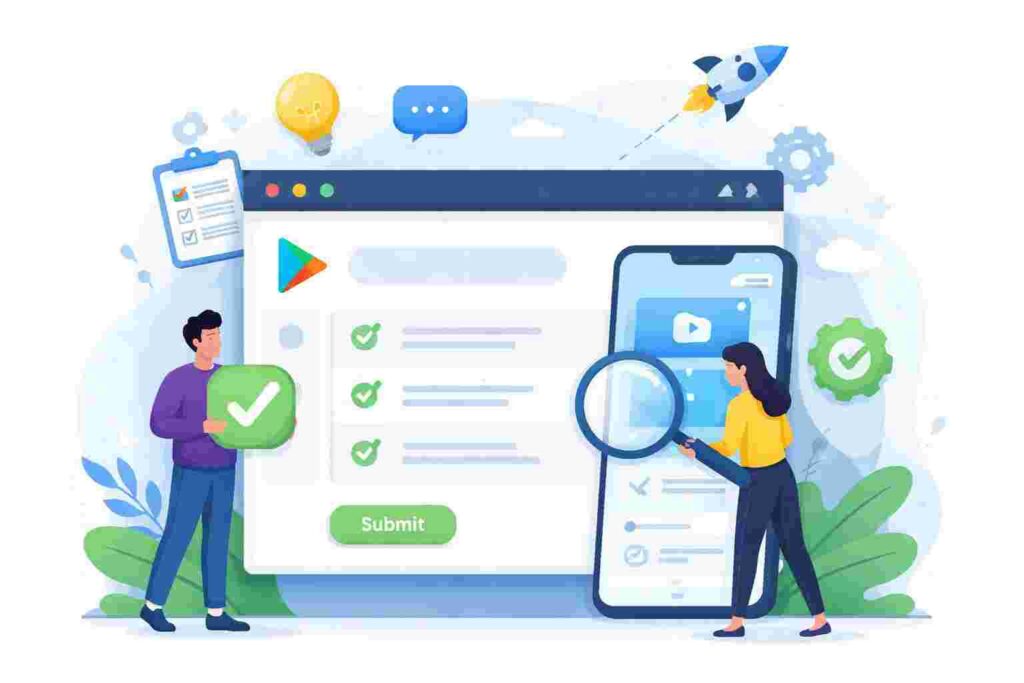
In the fast-paced world of app development, understanding every aspect of the launch process is critical to success. One of the most powerful features available to developers is the google play console closed testing feature. Closed testing allows developers to get early access and feedback from a selected group of users before the app is made available to the broader public. This article will explore the nuances of closed testing, providing developers with actionable insights and approval hacks.
Understanding Google Play Console Closed Testing
Closed testing is a vital part of the app development process within the Google Play Console framework. It allows developers to distribute their application to a limited audience, usually consisting of trusted testers, before the final rollout. By doing so, developers can identify potential issues, gather user insights, and refine the app based on real-world usage.
Overview of Closed Testing
Closed testing operates on the premise that limited exposure can yield productive feedback. Unlike open testing, where anyone can join, closed testing is invitation-only, providing a controlled environment for experimentation. This level of exclusivity helps maintain a focused group of testers who can deliver substantial insights based on their use cases.
Differences between Closed and Open Testing
- Access: Closed testing requires invitations, while open testing is accessible to anyone.
- User Feedback: Closed testing typically ensures more detailed and actionable feedback.
- Data Security: Closed testing may offer better control over the data shared with testers.
- Adjustments: Closed testing allows for more rapid iterations based on feedback.
How Closed Testing Fits into App Launch Strategy
Integrating closed testing into the app launch strategy can be a game changer. It allows developers to iron out major bugs and receive feedback that can significantly enhance user experience. In many cases, implementing changes based on closed testing results can drastically improve the initial reception of an app upon its official launch.
Technical Aspects of Closed Testing
Implementing closed testing in the Google Play Console requires a solid understanding of the setup and management processes. Here, we’ll discuss the essential technical elements that developers need to consider.
Setting Up Closed Testing in Google Play Console
The first step in leveraging closed testing is to set it up within the Google Play Console. The process begins with creating a closed test track:
- Sign in to your Google Play Console account.
- Select your app and navigate to the “Testing” section.
- Create a new testing track.
- Invite testers via email or through a Google Group.
- Publish the app for the closed test group.
Once set up, ongoing management of testers and feedback collection becomes crucial.
Best Practices for Managing Testers
- Communicate expectations clearly with testers.
- Encourage diverse tester demographics for varied feedback.
- Use feedback forms to standardize responses.
- Keep testers informed on how their feedback will be used.
Troubleshooting Common Issues
Even with a carefully orchestrated closed testing program, challenges can arise. Here are some common issues and troubleshooting tips:
- Testers may not receive invitations; ensure their email addresses are correct.
- Communication breakdowns can occur; utilize multiple platforms for updates.
- Test installations may fail; check for compatibility issues and device requirements.
- Ensure that test updates are communicated, so testers know to check for new versions.
Business Impact of Closed Testing
The importance of closed testing is not limited to the technical side; it has a profound impact on business outcomes as well. Let’s explore how closed testing influences app performance and user feedback.
Improving User Experience based on Feedback
One of the most significant benefits of closed testing is the ability to improve user experience. Gathering feedback from testers allows developers to identify pain points and usability issues that could affect a broader audience. For example, a developer may notice that testers struggled with navigation, prompting redesigns that enhance usability before the public launch.
Enhancing App Store Ratings
A well-tested app tends to perform better in app store ratings. By using closed testing to refine the app based on actual user feedback, developers can enhance the likelihood of receiving higher ratings once the app goes live. Research has shown that apps that receive extensive testing before launch tend to achieve ratings upwards of 4.5 stars, compared to those that do not.
Case Studies Across Different Industries
Numerous organizations from various sectors have reaped the rewards of implementing closed testing. For instance:
- A fintech app improved its user retention by 25% after addressing feedback on onboarding processes during closed testing.
- A gaming app achieved a 40% boost in user engagement metrics by tweaking its gameplay based on tester feedback.
- A health app managed to reduce crash reports by 15% through thorough bug identification during its closed testing phase.
Strategic Advantages of Closed Testing
Beyond immediate technical fixes, closed testing offers several strategic advantages for app developers trying to navigate a competitive marketplace.
Gaining Early User Insights
With closed testing, developers can get crucial insights into user behavior early in the process. This data can guide marketing campaigns, inform decisions on feature prioritization, and even influence pricing strategies based on perceived value from user feedback.
Risk Mitigation Strategies
Launching an app without adequate testing can lead to disastrous outcomes, including poor reviews and high uninstallation rates. Closed testing minimizes these risks by allowing developers to fix issues before a widespread launch, ensuring a smoother user experience.
Increasing Market Readiness
Closed testing helps developers gauge market readiness by providing a real-world preview. Feedback from testers can signify whether the app meets user expectations and aligns with market needs, compelling developers to make necessary adjustments.
Limitations and Risks of Closed Testing
While closed testing has numerous advantages, it is essential to be aware of its limitations and potential risks.
Not All Users May Provide Constructive Feedback
A core concern during closed testing is the quality of feedback received. Not all testers are experienced enough to provide actionable insights, which can skew the data. While inviting a diverse group is vital, developers must ensure some testers can give informed perspectives.
Time Constraints in Test Deployment
Closed testing can sometimes lead to delays in app launch due to iterations based on feedback. Developers need to balance thorough testing with the urgency to launch, maintaining a timeline that aligns with market expectations.
Managing Tester Expectations
It’s crucial to manage tester expectations effectively. If testers believe their comments alone will dictate the final version, they may become disappointed when not all their suggestions are implemented. Clear communication about the development process and how feedback will be used can help mitigate these feelings.
Comparative Analysis: Closed vs. Open Testing
Understanding the distinct features and advantages of closed versus open testing can help developers choose the right approach for their projects. Below is a detailed comparison of both approaches:
| Feature | Closed Testing | Open Testing |
|---|---|---|
| Access | Invitation only | Open to all |
| Feedback Quality | Usually detailed and actionable | Varied quality, often superficial |
| Target Audience | Specific user demographics | Broad user base |
| Troubleshooting | More control over issues | May face numerous unexpected bugs |
| Time to Market | Can delay launch | Faster, but less certainty |
Pros and Cons of Each Approach
- Closed Testing Pros: Greater control, targeted feedback, enhanced user experience before launch.
- Closed Testing Cons: Potential for limited tester insights, risk of feedback bias.
- Open Testing Pros: Diverse user insights, quicker feedback loop, broader reach.
- Open Testing Cons: Quality of feedback may be lower, higher exposure of bugs.
Ideal Scenarios for Each Testing Type
Closed testing is ideal for apps that require intricate usability testing or have unique features that benefit from targeted feedback. In contrast, open testing is more suited for apps with broad user appeal where widespread opinion is beneficial.
Cost Implications of Testing Methods
While maintaining a closed testing environment might entail more upfront management costs due to the need for targeted outreach and feedback collection, the long-term benefits can outweigh these initial costs. In contrast, open testing may lower immediate expenses but could lead to heightened customer dissatisfaction and potential loss of reputation if substantial bugs remain unaddressed.
Statistics and Market Trends in App Testing
To grasp the landscape of closed testing better, consider the following trends and statistics that highlight its growing relevance in the app development sphere:
Survey Data on Developer Preferences
A recent survey revealed that approximately 78% of developers prefer utilizing closed testing due to the quality feedback it provides. Diving deeper into this statistic, we can see a clear inclination towards methods that secure better insights and ultimately improve user experience.
Trends in App Testing Success Rates
Moreover, reports indicate that apps undergoing closed testing experience a success rate improvement of over 33% in their initial launch phases as compared to those that bypass testing altogether. This stark contrast indicates the effectiveness of closed testing methodologies.
Market Growth Forecast for Mobile Apps
According to recent market research, the mobile app industry is projected to reach a staggering $407.31 billion by 2026, underscoring the critical importance of refined app testing processes, including closed testing, to secure a competitive edge.
Real-World Case Study on Successful Closed Testing
Examining real-world applications of closed testing provides a tangible perspective on its effectiveness. A notable example involves a popular fitness app that integrated closed testing into its development phase.
Background of the App Under Test
Prior to closed testing, the fitness app experienced a series of challenges related to user engagement and feature adoption. Initial rollout data revealed high download rates, but user retention was alarmingly low.
Metrics Before and After Closed Testing
Through targeted closed testing, feedback revealed user confusion regarding certain features and caused developers to simplify the onboarding process. Post-launch surveys indicated a user satisfaction increase from 60% to 85%. Furthermore, the app’s retention rate improved from 30% to 50% within the first month after utilizing closed testing.
Key Takeaways from the Case Study
The fitness app’s journey showcased the transformative power of closed testing. Critical feedback enabled developers to realize what users valued, leading to better design and enhanced overall experience. This case emphasizes the importance of leveraging user insights to shape app direction during development.
Future Outlook of Closed Testing in App Development
Looking ahead, the role of closed testing in app development is poised to evolve with technological advancements and shifting user expectations.
Emerging Technologies Impacting Testing Approaches
Technologies like AI and machine learning are expected to revolutionize the closed testing landscape. Developers can utilize data analytics tools to better predict user behavior and preferences, improving how feedback is collected and analyzed.
Predictions for User Engagement Metrics
It’s anticipated that apps refined through closed testing will achieve higher user engagement rates, with estimates suggesting potential increases of up to 20% over the next five years. As developers lean more into user insights, the effectiveness of testing methods will surmount mission-critical challenges.
Evolving Best Practices
As methodologies continue to emerge, best practices surrounding closed testing will likely diversify. With a fresh focus on user-centric design, developers will need to adapt to the changing landscape of user preferences and expectations.
Frequently Asked Questions about Closed Testing
What is the ideal number of testers?
Determining the ideal number of testers for closed testing can vary based on the app’s complexity and target audience. However, a reasonable range usually falls between 50 to 200 testers. This allows for a diverse pool of feedback while remaining manageable for developers. Larger groups may yield overwhelming data, while smaller samples might not provide comprehensive insights.
How long should closed testing last?
The duration of closed testing often depends on the app’s development stage and the specific goals set by the developers. Generally, closed testing could last anywhere from two weeks to several months. It’s crucial to establish a timeline that allows for thorough data collection, analysis, and iterative updates based on feedback gathered during the testing phase.
Can closed testing lead to faster approvals?
Yes, effective closed testing can streamline the app approval process. By addressing potential issues early, developers can resolve concerns before submission to app stores, reducing the likelihood of rejection due to bugs or poor user experience. This proactive approach can ultimately lead to faster time-to-market strategies.
What feedback mechanisms are most effective?
Utilizing multiple feedback mechanisms can optimize the insights gathered during closed testing. Surveys, usability testing sessions, and direct communication channels with testers all contribute to richer feedback. Additionally, employing tools that analyze user interaction can provide data-driven insights to complement qualitative feedback.
How to choose the right testers?
Selecting the right testers is critical for beneficial outcomes from closed testing. Ideally, testers should represent various demographics relevant to the target audience. Furthermore, consider including individuals who have a history of providing constructive feedback in previous projects. This can help ensure that the insights gained will be actionable and relevant.
What are common pitfalls to avoid?
Some common pitfalls in closed testing include failing to communicate adequately with testers, not implementing feedback effectively, and being overly reliant on a small group of testers. Avoiding these pitfalls requires clear guidelines for feedback, diligent follow-up on testers’ comments, and a diverse selection of user profiles to get well-rounded insights.
Conclusion: Maximizing the Benefits of Closed Testing
In summary, closed testing in the Google Play Console presents a myriad of opportunities for app developers to refine their applications thoroughly. By understanding its value, technical implementation, and measuring its impact on business success, developers can ensure they harness the potential of closed testing fully.
Recap of Key Hacks
From gathering targeted feedback to managing tester demographics effectively, leveraging the closed testing feature can significantly ease the app approval journey. Remember to treat every piece of feedback as valuable and use it to drive development decisions.
Next Steps for Developers
Developers are encouraged to incorporate closed testing into their release strategy actively. Establish clear goals, create targeted testing groups, and utilize the insights gathered to enhance the final product. The potential for improved user experience is tremendous.
Final Thoughts on Continuous Improvement
In the ever-evolving world of app development, continuous improvement should be a guiding principle. Closed testing should be viewed not merely as a phase in the app development cycle but a vital tool for ongoing enhancement and adaptation to user needs.