
Closed Testing Google Play: The Complete Developer Guide to Conquer the 12 Testers Requirement
Publishing an app to the Google Play Console can feel like navigating a maze of requirements. One of the most talked about hurdles: the so-called 12 tester requirement for closed testing google play. In this deep dive guide, you’ll learn why this requirement exists, how to satisfy it without guesswork, and how to turn it into an opportunity for quality, trust and success, even if you’re a solo indie developer.
Table of Contents
Why Google Play Requires Closed Testing with Testers
What is Closed Testing Google Play?
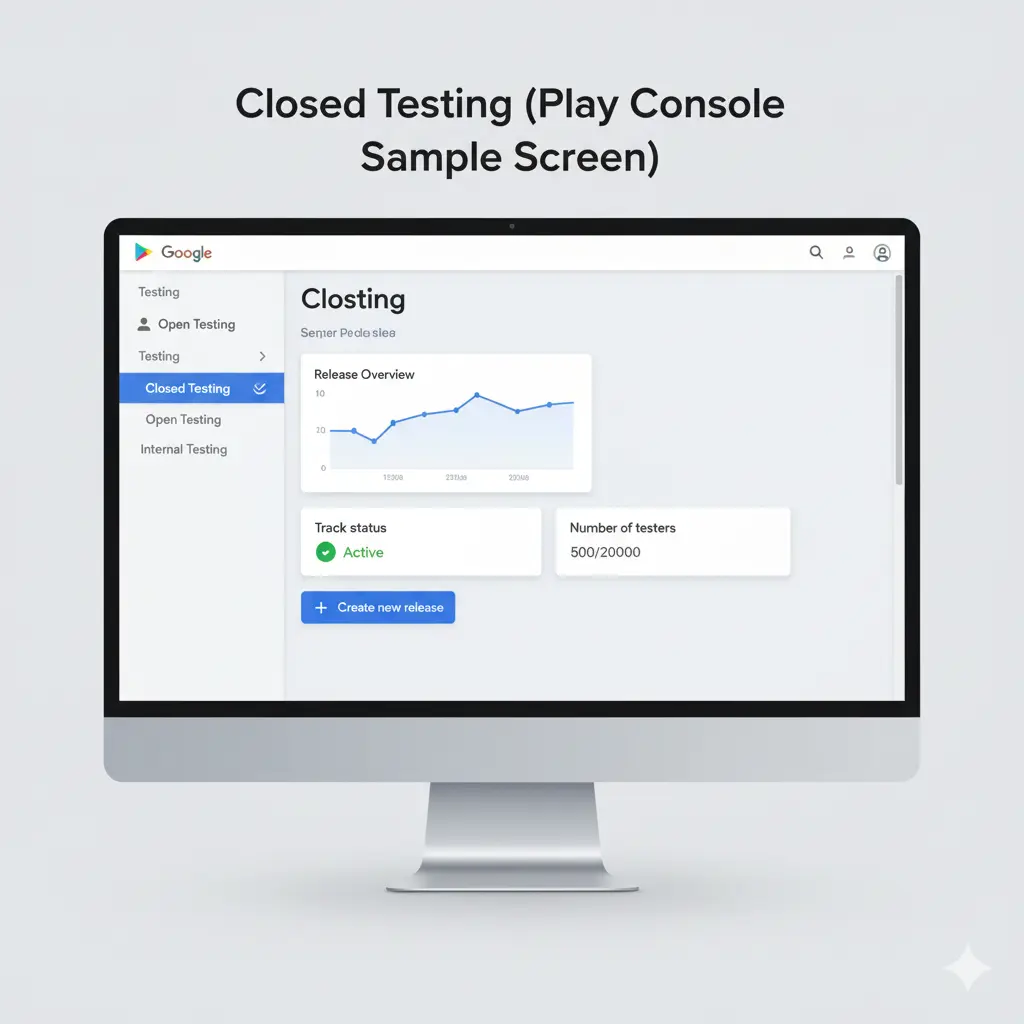
Closed testing Google Play is one of the official release tracks, alongside “Internal Testing” and “Open Testing.”
It allows you to release a pre-production version of your app to a select group of users (testers) before promoting to production. According to Google:
“Closed testing google play: Get early feedback on new features from trusted users, without impacting your public ratings and reviews.” Google Play
The Purpose Behind Requiring a Minimum Number of Testers
Google introduced stricter tester-minimum policies (historically 20 testers for 14 days, now often 12 testers) to reduce spammy or low-quality launches.
This builds trust and quality in the platform, ensuring that apps have been tested in real-world conditions before exposure to a wider audience.
Real Statistics That Reflect the Shift
- According to developer community reports, Google reduced the barrier from “20 testers for 14 days” to “12 testers for 14 days” for many new developer accounts.
- On Reddit, one developer wrote:
“I tried… but then noticed that only ever a maximum of 9 installations of the app [registered]… which explains the rejections.” Reddit
- The shift aligns with Google’s broader platform cleanup: for example, reports show the Play Store was forced to remove nearly half its apps in 2024 due to quality issues.
These signals tell us the requirement isn’t arbitrary, it reflects a real guardrail.
What Exactly is the “12 Testers” Rule? (And Does It Apply to Your Account?)
Who Must Follow It?
If you have a new personal developer account on Google Play, you may be required to open a closed test track with at least 12 testers for a continuous period (often 14 days) before promoting to production.
For organization / business developer accounts, or accounts established before policy changes, the rules may differ or may already have been satisfied.
What Must the Testers Do?
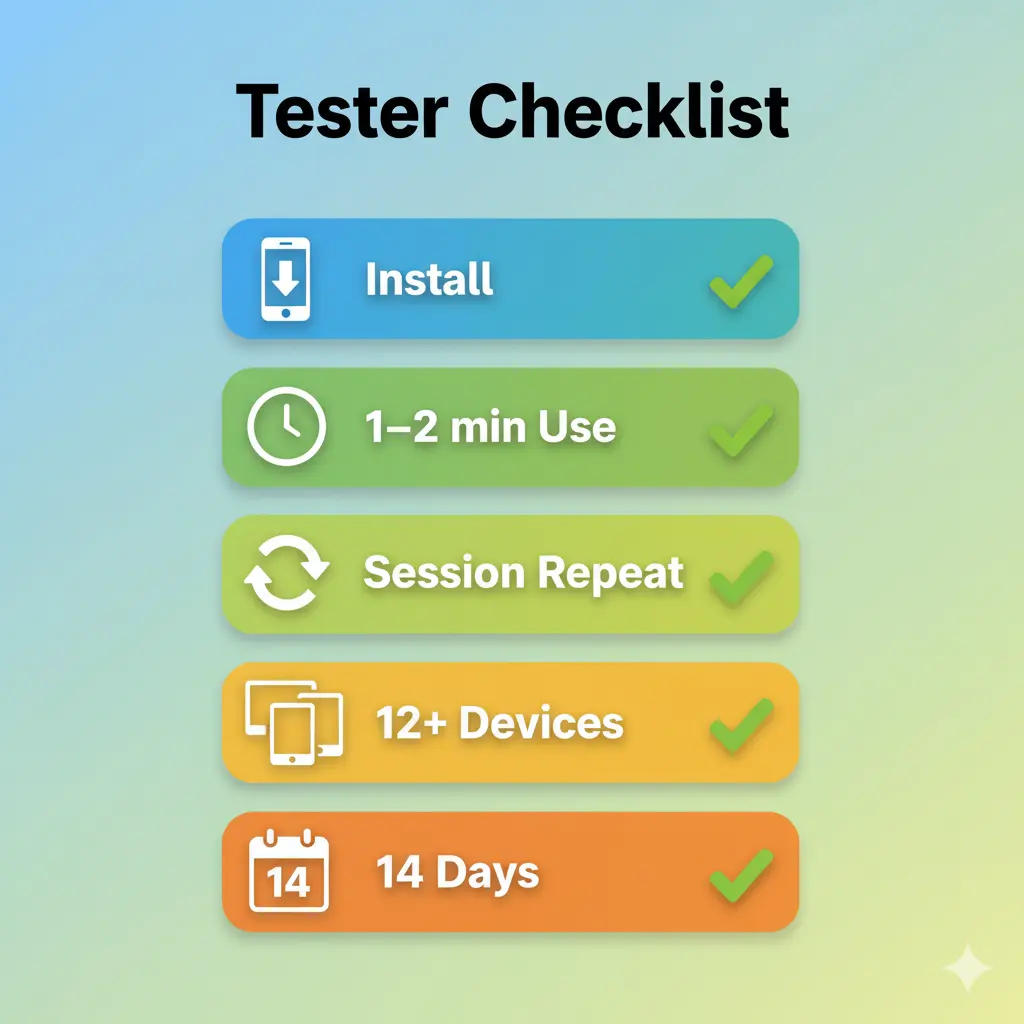
It’s not just “12 people invited” the requirement expects:
- Testers to opt-in via the closed testing google play link.
- They install the app via Google Play testing link (not sideload).
- They use the app for some time (sessions), not just install and uninstall.
- The testing track runs for the defined duration (14 days in many cases).
What Happens If You Don’t Meet the Requirement?
If Google detects that your closed test lacked sufficient engagement (installs, session duration), the “Promote to Production” or “Send to Review” button may remain disabled or you may get rejection. As one dev noted:
“The console said 20 testers but the install count stayed at 9 and I got rejected.” Reddit
Thus, developers must be proactive, not just invite testers and hope.
Step-by-Step Strategy: How to Complete Closed Testing Google Play Successfully
Here’s a comprehensive, step-by-step roadmap you can follow and adapt to your process:
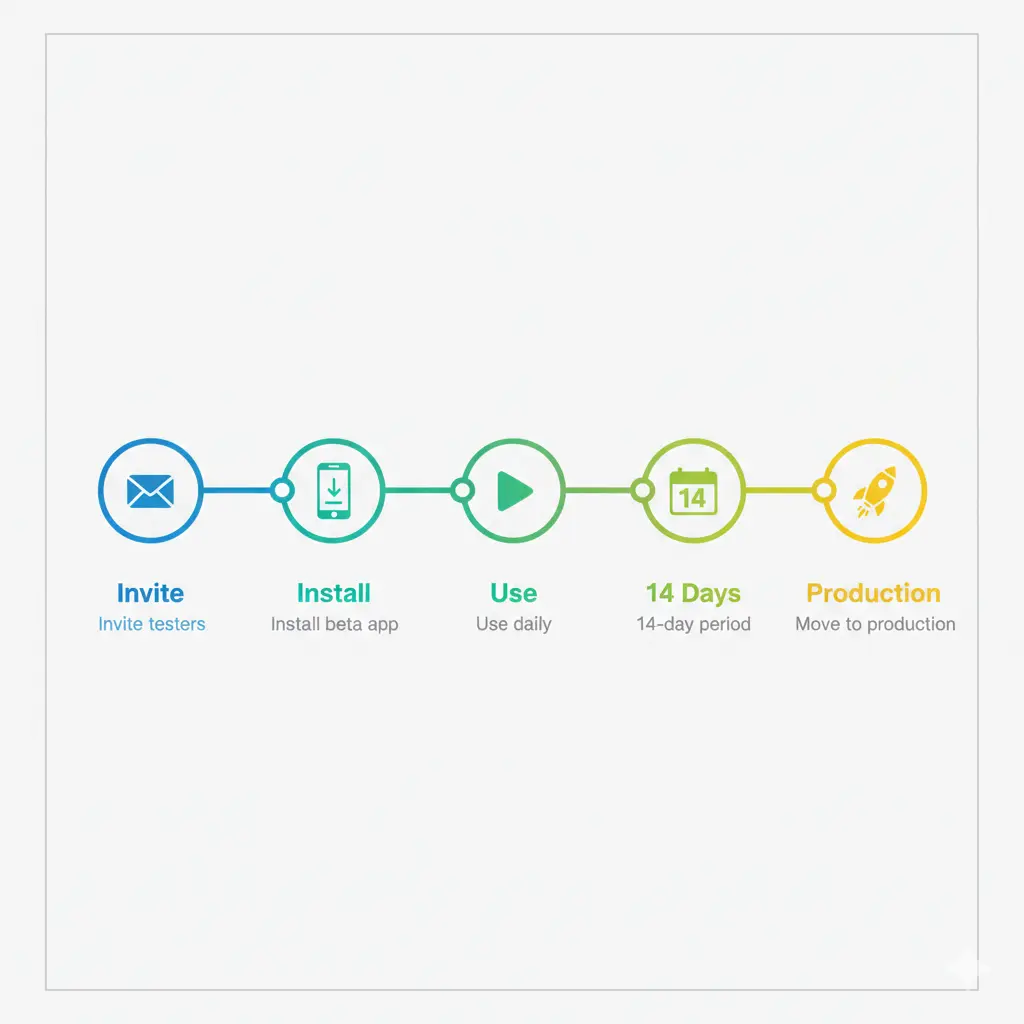
Step 1 – Plan Your Closed Test Early
- Decide the testing track: Go for Closed Testing google play rather than just Internal, if you target this requirement.
- Define the tester pool size: Minimum 12 (better to plan 15-20 to hedge).
- Set clear goals: What scenarios do you want testers to perform? What feedback you expect?
Step 2 – Prepare Your Build and Testing Environment
- Upload your .aab/.apk to the Google Play Console under Testing → Closed testing google play.
- Write release notes that invite testers to engage (open app, click certain features, leave feedback).
- Create a dedicated tester join link or email list.
Step 3 – Invite Real Testers and Track Their Engagement
- Use reliable testers (colleagues, users, friends) who will actually install and open the app, not just join.
- Encourage them to keep the app open for at least 1-2 minutes, navigate through features. Real usage = better trust signals.
- Monitor the tracker: In the Play Console → Statistics you can see installs, user sessions, etc.
Step 4 – Maintain Testing for the Full Duration (e.g., 14 Days)
- Many accounts require the test track to be active for 14 consecutive days with the tester threshold met.
- Don’t pause the test or remove testers mid-way, as it may reset the counter.
- Encourage testers to return after a day or two: repeat sessions count better than a single install.
Step 5 – Collect Feedback, Fix Issues, and Prepare for Production
- Use tester feedback to fix critical issues (crashes, ANRs, UI bugs). Good health before production by default improves acceptance and ranking.
- Ensure your metrics (crash rate, ANRs) are under control they impact ranking as well.
- Update your store listing, assets, and description if needed.
Step 6 – Promote from Closed Testing Google Play to Production
- Once criteria met, use the “Promote” button in Play Console to move build from testing → production.
- Verify no errors in pre-release checks.
- Announce your launch (social, newsletter) to generate early installs and engagement.
Step 7 – Post-Launch Monitoring & Optimization
- After launch, monitor early metrics: Daily Active Users (DAU), Monthly Active Users (MAU), retention, uninstall rate. These shape your ASO and visibility.
- Use internal linking to your other tools or posts e.g., on your site you might mention “Check our EMI Calculator tool” or “Read our blog post on word counting hacks” to keep users in your ecosystem.
- Continuously collect reviews/feedback and iterate.
How This Rule Can Be a Competitive Advantage
Improve App Quality Before Launch
Rather than seeing this as a chore, view it as a mini QA / beta-launch phase. You’ll catch issues before they affect public reviews. A better launch often leads to higher ranking.
Build Early Trust & Credibility
When users find fewer bugs, faster load times and better UX from day one, your app gets better reviews, higher retention, and that translates into the algorithm favoring you.
Use Strong Early Metrics to Boost Ranking
Since you’re starting with a closed-tested build and intentional sessions, you can hit strong first-week metrics, which in turn improves visibility in search and discovery.
Educate Your Audience (and You)
This process gives you tangible data retentions, session lengths, crashes that you can use to refine your marketing, positioning and monetization strategy.
Outsourcing the Tester Challenge – Is It a Good Idea?
If you’re short on testers (friends, colleagues, initial users) you might consider outsourcing the process: hiring real-device testers, ensuring installs and sessions for 12 or more devices over 14 days.
Pros:
- Speeds up meeting the requirement.
- Frees you to focus on dev and marketing.
- Ensures consistent tracking, proof of usage.
Cons & Cautions:
- Must avoid fake or incentivized installs/reviews (which violate Google policy).
- Ensure testers really use the app (not just install/uninstall).
- Maintain transparency: you’re providing testing services, not “fake downloads”.
By positioning the service ethically (quality testing, real-device usage, session reports) you transform a potential risk into value.
Common Mistakes Developers Make and How to Avoid Them
| Mistake | Impact | How to Avoid |
|---|---|---|
| Inviting testers who don’t install or engage | Requirement not met → rejection | Pre-screen testers, ask for commit, track installs |
| Pausing or switching testers mid-test | Restart of counter or fail | Keep a continuous test for full period |
| Not tracking session length | Install count only may not suffice | Ask testers to actively open, navigate |
| Relying on Internal testing only | Might not fulfill closed test requirement | Use Closed Testing google play track explicitly |
| Ignoring crash/ANR metrics during test | Low quality launch → poor ranking | Fix issues during test phase |
| Not linking to other resources or tools | Missed internal linking and SEO benefit | Use internal links naturally (e.g., “See our tool…” ) |
FAQs – Frequently Asked Questions
Is the 12 testers requirement mandatory for all developer accounts?
No, while many new personal developer accounts must complete a Closed Test with at least 12 testers for 14 days, accounts created before the policy or organization accounts may not face this exact requirement.
Can I promote directly to production without a closed test?
In many cases no. If your account is subject to the policy you must complete the closed test phase. Skipping it may result in the “Promote to Production” button being greyed-out or receiving a rejection.
What counts as a valid tester?
A valid tester is someone who opts-in via the test link, installs the app from Google Play (via the testing track), and ideally opens and uses the app for some duration. Invite more than the minimum to accommodate drop-outs.
Does the tester need to leave a review?
No, reviews are not required for the closed test requirement. What matters is install and usage data, and the test duration.
Can I use automated scripts or bots to simulate testers?
No, this would violate Google’s policy. The testers must represent real user installations and usage. Use genuine devices or invited users to preserve your account’s trust and ranking.
How can I track if my closed test is meeting the requirement?
Within Play Console, navigate to Statistics → Installs/Uninstalls → Filter by Closed Test track. You may also monitor session length and user retention in the “Release” > “Testing” section. Google Play
Final Thoughts – Turning a Requirement into a Launch Advantage
The “closed testing google play” requirement, while seemingly an obstacle is really a built-in quality check that, when leveraged properly, becomes a launch advantage. By planning ahead, inviting real testers, ensuring real engagement and monitoring your metrics, you don’t just clear Google’s threshold, you set your app up for higher review scores, better user retention, and improved ranking from day one.
At FreeToolsLand we believe in turning pain-points into power plays. If you’re facing this testing challenge and would like help structuring your tester pool or monitoring sessions, consider our real-device tester pool service for indie devs. But more importantly: treat this as your quality gate, not just a checkbox and your app will be stronger for it.
Here’s to a smoother launch, stronger metrics, and higher ranking! 🚀
🚀 Still stuck with Google Play Closed Testing?
If you’re struggling to complete Google Play’s 12 testers / 14 days requirement, we can handle it for you.
✅ Real testers
✅ 14-day compliance
✅ Step-by-step Play Console guidance
✅ Fast turnaround
👉 Flat fee: $49
Contact us at: support@freetoolsland.com
or WhatsApp: +91-9855940665
Pingback: Play Store Closed Testing – 5 Proven Steps Developers Must Follow - Free Tools Land
Your point of view caught my eye and was very interesting. Thanks. I have a question for you.