
You have filled in every field, the fee is ready, and the portal throws an error: photo size must be between 20 KB and 50 KB. Your phone photo is 3 MB. Nearly everyone applying for an exam or a government job in India runs into this at least once, and it usually happens ten minutes before the last date.
The good news is that you can resize a photo for an online form in about a minute, in your browser, without Photoshop or a sketchy app. Below is the exact process I use for the photo and the signature, plus the small mistakes that get forms rejected even when the file size looks right.
Common photo and signature sizes for online forms
Every recruitment notice sets its own limits, but most Indian exam and job portals ask for something close to this:
| Upload | Usual file size | Format | Usual shape |
|---|---|---|---|
| Photograph | 20 KB to 50 KB | JPG / JPEG | Passport style, about 3.5 × 4.5 cm |
| Signature | 10 KB to 20 KB | JPG / JPEG | Wide strip, about 6 × 2 cm |
| Thumb impression (if asked) | 10 KB to 20 KB | JPG / JPEG | Square-ish |
Rules also change between cycles. In its recent notices, for example, SSC captures the candidate’s photo live during the application instead of asking for an upload, while the signature is still uploaded as a JPG of 10 to 20 KB. So open the “How to apply” section of your notification on the official website before you start, and note three things: file size, format and dimensions.
How to resize a photo to 20 KB, 50 KB or any size
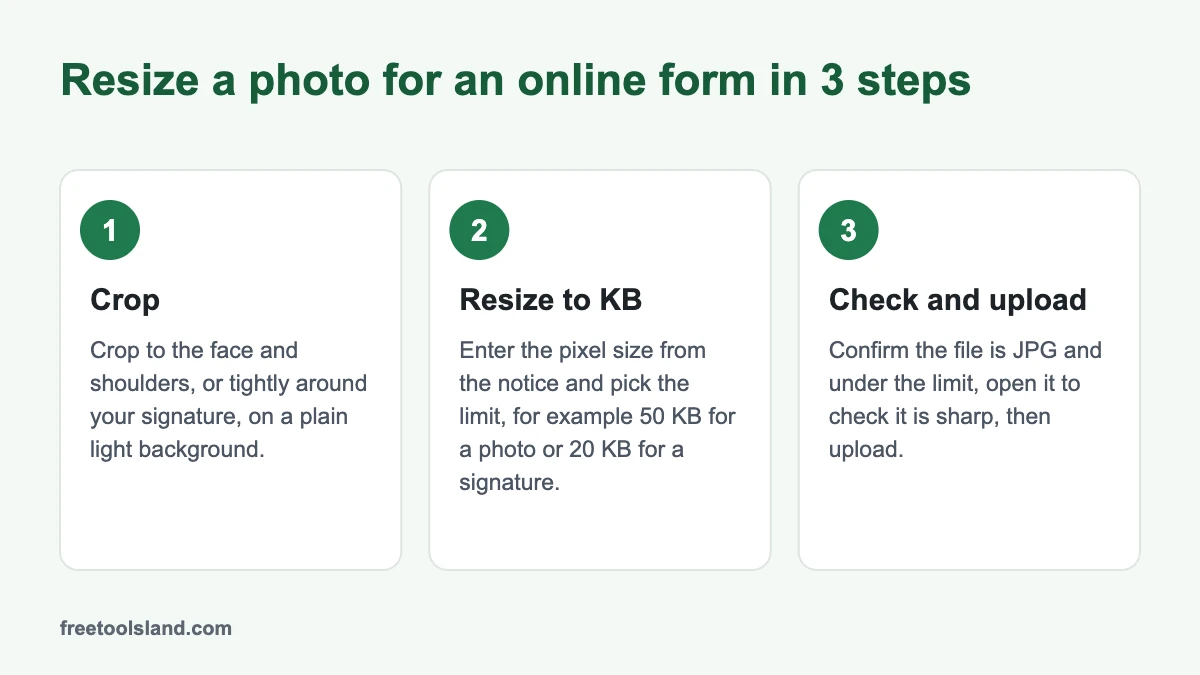
- Crop the photo first. Open the Image Cropper and crop to a passport-style frame, with your face and the top of your shoulders filling most of it. Cropping before resizing matters more than people think: you stop spending kilobytes on a wall or a ceiling, so the face stays sharper at 20 KB.
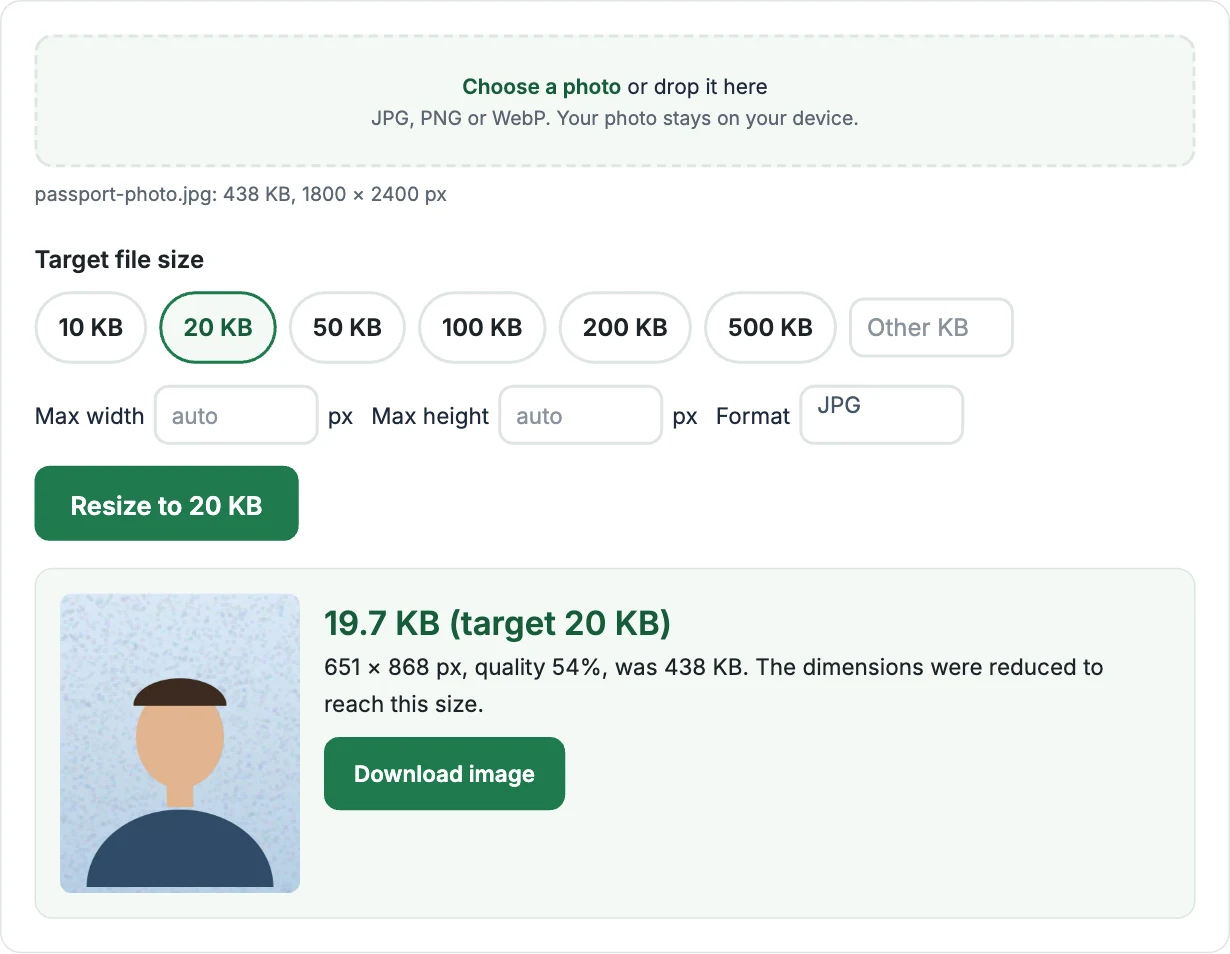
- Open Resize Image to KB and choose the cropped photo. It runs in your browser, so the photo is not uploaded anywhere.
- Pick the target size. Tap 20 KB or 50 KB, or type your own number (for example 45) in the Other KB box.
- Add pixel dimensions only if the form lists them. If the notice says something like 200 × 230 pixels, type those into max width and max height. If it only mentions KB, leave both on auto.
- Click Resize and download. The result shows the final size, the dimensions and the quality used, so you can check it before uploading.
Tip: aim slightly under the limit, around 45 to 48 KB for a 50 KB cap. Some portals treat 1 KB as 1,000 bytes instead of 1,024, so a file that shows as 49.9 KB on your phone can still be “too large” for them.
How to resize a signature to 10 KB to 20 KB
The signature is where most people struggle, because a phone photo of a page is mostly white paper and shadows. This works well:
- Sign on plain white paper with a black or dark blue pen. Gel pens show up better than ballpoint.
- Photograph it in daylight with the phone held flat above the page, so there is no shadow from your hand or the phone.
- Crop tightly around the signature in the Image Cropper, leaving only a small margin. The shape should be a wide strip, not a square page.
- Resize it in Resize Image to KB to 20 KB (or 15 KB if the range is 10 to 20 KB, so you have room on both sides).
If the form has a minimum as well as a maximum and your file is already below it, the original is too small. Take the photo again closer to the page instead of trying to inflate a tiny file.
Why forms reject a photo even when the size is right
- Wrong format. Most portals accept only JPG/JPEG. iPhones save photos as HEIC by default, and many browsers cannot open HEIC. On iPhone, go to Settings › Camera › Formats and choose Most Compatible, or share the photo as JPG first.
- Dimensions outside the range. Some forms check pixels as well as KB. Enter the exact width and height from the notice.
- Face too small or too dark. Use a plain light background and face the window, not your back to it.
- An old photo. Some notices want a recent photograph and a few want your name and the date printed below it. Read that line carefully.
- Odd file names. A few older portals fail on names with spaces or symbols. Renaming to something like
photo.jpgavoids it.
Does reducing the KB size spoil the photo?
A little, but less than you would expect. A passport-size photo has very little detail to begin with, so 30 to 50 KB is plenty for a clear face. At 20 KB or below you may notice softness on hair and clothes, which is fine for an application form. What actually ruins photos is resizing the same file again and again, so always start from the original each time.
Frequently asked questions
How do I reduce photo size to 20 KB on mobile?
Open Resize Image to KB in Chrome or Safari on your phone, choose the photo from your gallery, tap 20 KB and download the result. It works the same way as on a computer, and nothing is installed.
How do I convert a photo to 50 KB without losing quality?
Crop away the background first, then resize to around 45 to 48 KB. Avoid forcing small dimensions unless the form asks for them; the tool keeps as much resolution as the size limit allows.
What is passport size photo size in pixels?
A 3.5 × 4.5 cm photo at 300 DPI is about 413 × 531 pixels. Online forms often ask for less, such as 200 × 230 pixels, so go by the number in your notification.
Is it safe to resize my photo on a website?
With Resize Image to KB, yes: the resizing happens inside your browser and the photo never leaves your device. With any other site, check whether it uploads your file before you use it for ID documents.
Sending ID photos by email or WhatsApp document? Those keep hidden GPS data. See how to remove location from photos before you share them.
Tools used in this guide
- Resize Image to KB: reduce a photo or signature to an exact KB size.
- Image Cropper: crop to passport or signature shape before resizing.
- Rotate or Flip Image: fix a sideways phone photo.
- Age Calculator: check your age on the cut-off date in the notice.
Updated November 2026. File size and photo rules are set by each recruiting body and can change between notifications; always follow the official notice for your exam.