
Updated November 2026. You do not need Photoshop or a paid app to make Instagram photos look professional. This guide gives you the 2026 Instagram image sizes, a simple six-step editing workflow using free browser tools, and fixes for the most common photo problems. It brings together our earlier guides on Instagram editing, quick pro edits and social media image sizes.
In this guide
- Instagram image sizes for 2026
- How to edit a photo for Instagram in 6 steps
- 5 quick edits that make photos look professional
- Common photo problems and quick fixes
- Sizes for other platforms
- Frequently asked questions
Instagram image sizes for 2026
| Format | Size (pixels) | Aspect ratio |
|---|---|---|
| Portrait post (best for reach) | 1080 × 1440 or 1080 × 1350 | 3:4 or 4:5 |
| Square post | 1080 × 1080 | 1:1 |
| Landscape post | 1080 × 566 | 1.91:1 |
| Stories and Reels | 1080 × 1920 | 9:16 |
| Reels cover | 1080 × 1920 (shown 3:4 on your grid) | 9:16 |
| Profile picture | 320 × 320 (shown as a circle) | 1:1 |
The 3:4 profile grid
Your profile grid now shows posts as 3:4 rectangles instead of squares. Square and 4:5 posts are trimmed at the sides or top in the grid preview, and Reels covers are cut from 9:16 to 3:4. Keep faces and text in the centre of the frame, or post at 3:4 (1080 × 1440) so what people see on your grid is exactly what you made.
How to edit a photo for Instagram in 6 steps
- Crop to the right shape. Use the Image Cropper for exact ratios (3:4, 4:5, 1:1, 9:16), or the Freeform Cropper to cut out one subject first.
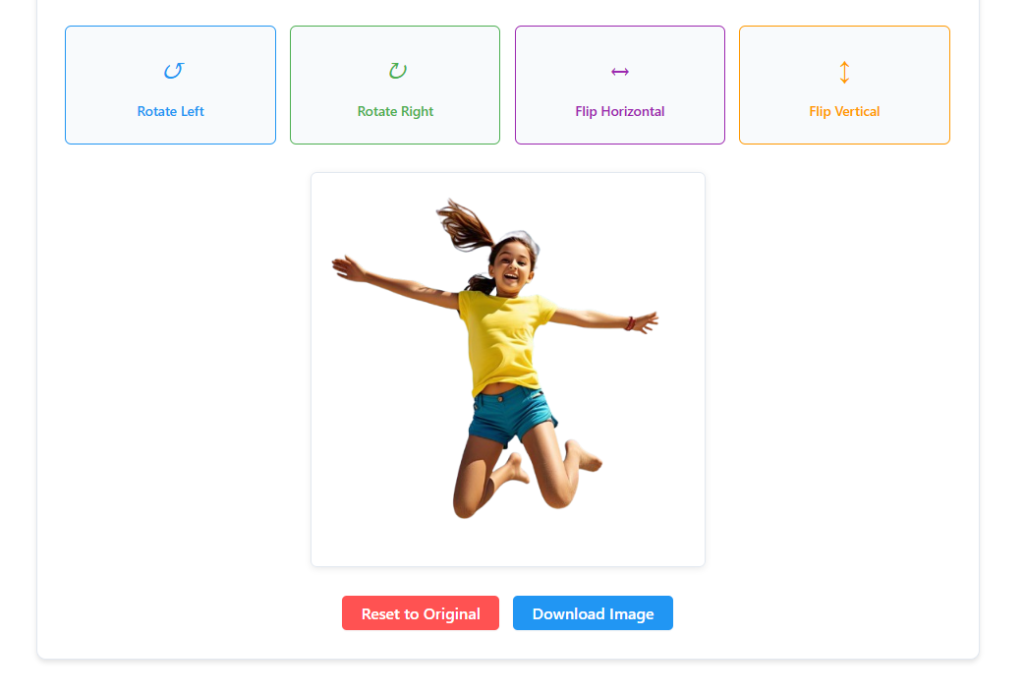
- Straighten it. A tilted horizon is the quickest giveaway of an amateur photo. Fix it with Rotate or Flip Image; flip selfies if the text in them reads backwards.
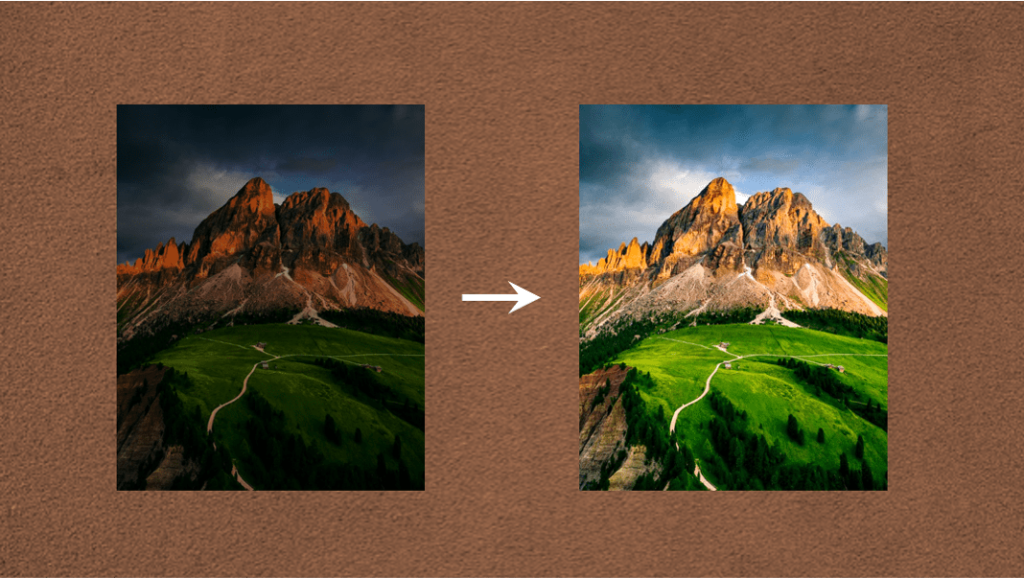
- Fix the light. Raise brightness a little and contrast a little more with Brightness and Contrast. Small changes look natural; big ones look fake.
- Add a consistent look. Pick one or two filters and use them on every post so your grid looks planned.
- Add text if needed. For quotes, offers or titles, use Add Text to Image and keep the text in the centre third of the photo so the grid crop does not cut it.
- Check the location data. Photos from your phone can contain the exact GPS location where they were taken. Check with the EXIF Viewer and strip it with Remove EXIF Data before posting pictures taken at home.
5 quick edits that make photos look professional
- Crop for one subject. Remove anything at the edges that does not help the photo; one clear subject beats a busy scene.
- Level the horizon and walls. Rotate by a degree or two until lines are straight.
- Lift the shadows, not everything. Slightly more brightness and contrast together keeps the photo punchy.
- Use the same filter style. Warm, cool or black-and-white: choose one and stick to it.
- Short, readable text. Six to ten words, high contrast, never over a face.
Common photo problems and quick fixes
| Problem | Fix |
|---|---|
| Photo is too dark | Increase brightness 10–20%, then add a little contrast. |
| Head or text cut off in the grid | Post at 3:4, or keep important parts in the centre. |
| Photo looks blurry after cropping | You cropped too small an area; crop less, or upscale it with the Image Upscaler. |
| Colours look dull | Add contrast or a filter with more saturation. |
| Mirror-image selfie | Flip it horizontally with Rotate or Flip Image. |
| Instagram makes it look worse after upload | Upload at 1080 pixels wide; much larger images get compressed more. |
Sizes for other platforms
- Facebook post: 1080 × 1350 (4:5) or 1080 × 1080; link previews 1200 × 630.
- YouTube thumbnail: 1280 × 720 (16:9).
- X (Twitter) image: 1600 × 900 (16:9) shows uncropped in the feed.
- WhatsApp status: 1080 × 1920 (9:16), like Stories.
Uploading a photo to a form instead of Instagram? Here is how to resize a photo and signature for online forms (20 KB to 50 KB photo, 10 KB to 20 KB signature).
Posting from home? Instagram hides photo location from viewers, but files you send by email or as documents keep it. Learn how to remove location from photos before you share them.
Want to save a video rather than a photo? Our guide to downloading Facebook, X and TikTok videos covers the steps, and the Instagram video downloader handles Reels.
Frequently asked questions
What is the best Instagram post size in 2026?
1080 × 1440 pixels (3:4). It fills the most space in the feed and matches the profile grid, so nothing is cropped.
Can I edit Instagram photos on my phone without an app?
Yes. All the tools in this guide run in Chrome or Safari on your phone; open them, choose a photo from your gallery, edit and download.
Why is my photo cropped on my profile?
The grid shows every post at 3:4. Square and landscape photos are trimmed in the preview, though the full photo still shows when someone opens the post.
Sources
Checked in November 2026: