
Invisible Character Remover
Strip zero-width spaces, hidden Unicode symbols, Braille blanks, and normalize messy whitespace with one click.
How to Remove Invisible Characters from Text
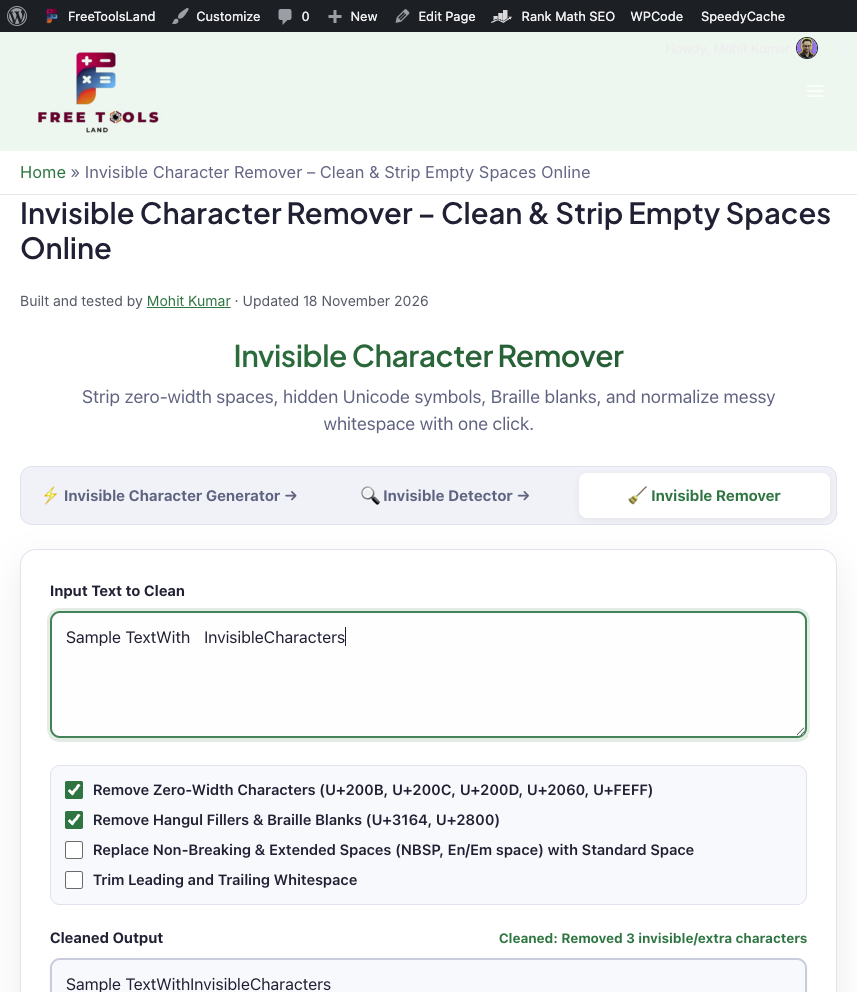
Cleaning unwanted zero-width spaces and abnormal Unicode whitespace takes just a single click with our free online invisible character remover:
- Paste Your Text: Paste your copy into the input box above.
- Choose Cleaning Filters: Select whether to remove zero-width characters, strip Hangul/Braille blanks, normalize non-breaking spaces into standard spaces, or trim paragraph edges.
- Copy Cleaned Result: Click Copy Cleaned Text to copy the sanitized string to your clipboard.
Why You Should Clean Hidden Characters from Your Copy
Invisible characters can create serious issues when publishing content, writing code, or storing records in a database:
- SEO & Indexing: Hidden zero-width spaces embedded in title tags or meta descriptions can distort search engine snippet lengths and cause character count discrepancies in Google SERPs.
- Prevent Code Crashes: Pasting code from web tutorials with hidden zero-width spaces will trigger syntax errors in Python, JavaScript, JSON, and SQL.
- Email & Messaging Delivery: Hidden characters in email subject lines or URLs can trigger spam filters and break click tracking.
- Database Integrity: Eliminates duplicate records and authentication errors caused by invisible characters hiding in usernames or hashed passwords.
Related Text Utilities
Explore our companion text and developer tools on FreeToolsLand:
- Invisible Character Detector – Inspect, detect, and visually highlight hidden Unicode formatting in text.
- Invisible Character Generator – Generate and copy blank characters and empty text for social media and games.
- Word Counter – Analyze word, character, sentence, and paragraph counts with reading time.
- Letter Case Converter – Convert text between UPPERCASE, lowercase, Title Case, and camelCase.
Frequently Asked Questions (FAQ)
What characters does the invisible character remover delete?
By default, it removes Zero Width Space (U+200B), Zero Width Non-Joiner (U+200C), Zero Width Joiner (U+200D), Word Joiner (U+2060), Byte Order Mark (U+FEFF), Hangul Filler (U+3164), and Braille Pattern Blank (U+2800). You can also choose to normalize non-breaking spaces (U+00A0) into standard keyboard spaces.
Does cleaning text alter normal letters and numbers?
No. Normal letters, digits, punctuation, and standard keyboard spaces (ASCII 32) remain completely untouched unless you specifically choose the optional trimming feature.
How to Cite This Tool
Kumar, M. (2026). Invisible Character Remover – Strip Zero-Width & Hidden Spaces [Online tool]. FreeToolsLand. https://freetoolsland.com/invisible-character-remover/