
Social apps and YouTube only take video, so a song, podcast episode or voice note needs a picture to go with it. Pick the audio, pick a picture, choose the shape for where you are posting, and tap Make MP4. You get a video with your picture on screen for the whole length of the audio. Everything happens inside your browser with ffmpeg, the open-source engine behind many video apps. Your file is not uploaded to our server.
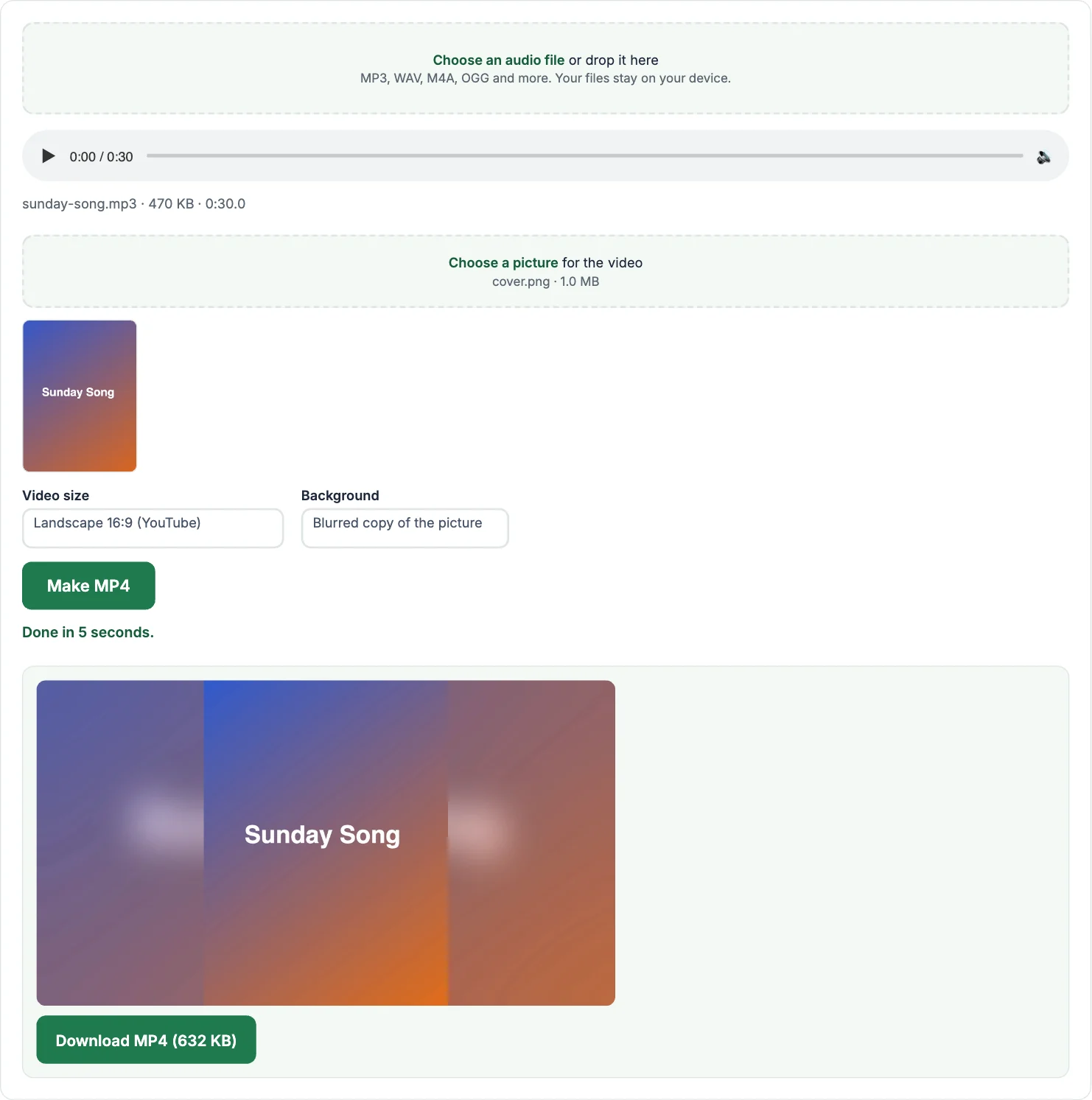
How to convert MP3 to MP4 with an image
- Tap Choose an audio file and pick your MP3, WAV, M4A or other audio file.
- Tap Choose a picture and pick the image to show: album art, a photo or a title slide.
- Pick the video size: 16:9 for YouTube, 1:1 for Instagram and Facebook posts, 9:16 for Reels, Shorts and WhatsApp Status.
- Tap Make MP4 and download the video when it is ready.
What if my picture is a different shape?
The picture is never stretched or cropped. It is placed in the middle and the empty space is filled with a blurred copy of the picture, which looks natural on YouTube and Instagram. You can choose plain black or white instead.
How long does it take?
The video uses a still picture, so it is quick to make: a 4-minute song usually takes well under a minute on a computer, a little longer on a phone. The audio is saved in AAC at 192 kbps, the format YouTube and Instagram expect.
Frequently asked questions
Can I upload the MP4 to YouTube?
Yes. The video is a standard MP4 (H.264 and AAC), which YouTube, Facebook, Instagram, WhatsApp and TikTok all accept.
Will there be a watermark?
No. The video contains only your picture and your audio.
Is there a length limit?
No fixed limit, but very long audio, over about an hour, can run out of memory in a phone browser. A computer handles long files better.
Can I use a song I don’t own?
Only if you have the rights to it. Platforms like YouTube may block or mute videos that use copyrighted music.
How do I turn a video back into MP3?
Use the video to MP3 converter.
More free audio and video tools
- Video to MP3: any video to MP3, M4A, WAV or OGG
- MP4 to MP3: pull the audio out of an MP4
- MOV to MP3: iPhone and Mac videos to MP3
- WebM to MP3: screen recordings and browser downloads
- MKV to MP3: audio from MKV files
- Audio Converter: convert between MP3, WAV, M4A and OGG
- Video Compressor: make a video file smaller
- Video Trimmer: cut a clip out of a video