

Someone shares a recipe Reel, a funny clip on X or a TikTok you want to watch again on a flight, and there is no download button. You can screen-record it, but then you get the notification bar, the wrong aspect ratio and half the quality.
There is a cleaner way. This guide shows how to download Facebook videos, how to download Twitter (X) videos and how to save TikTok videos without the watermark, on Android, iPhone or a computer, using nothing but the video link. It also covers what you can and cannot download, and where the legal line is.
In this guide
- The method in one line
- How to download a Facebook video or Reel
- How to download a Twitter (X) video
- How to download TikTok videos without watermark
- Downloading on iPhone, Android and PC
- Is it legal to download videos from Facebook, X or TikTok?
- Why a download might fail
- Frequently asked questions
The method in one line
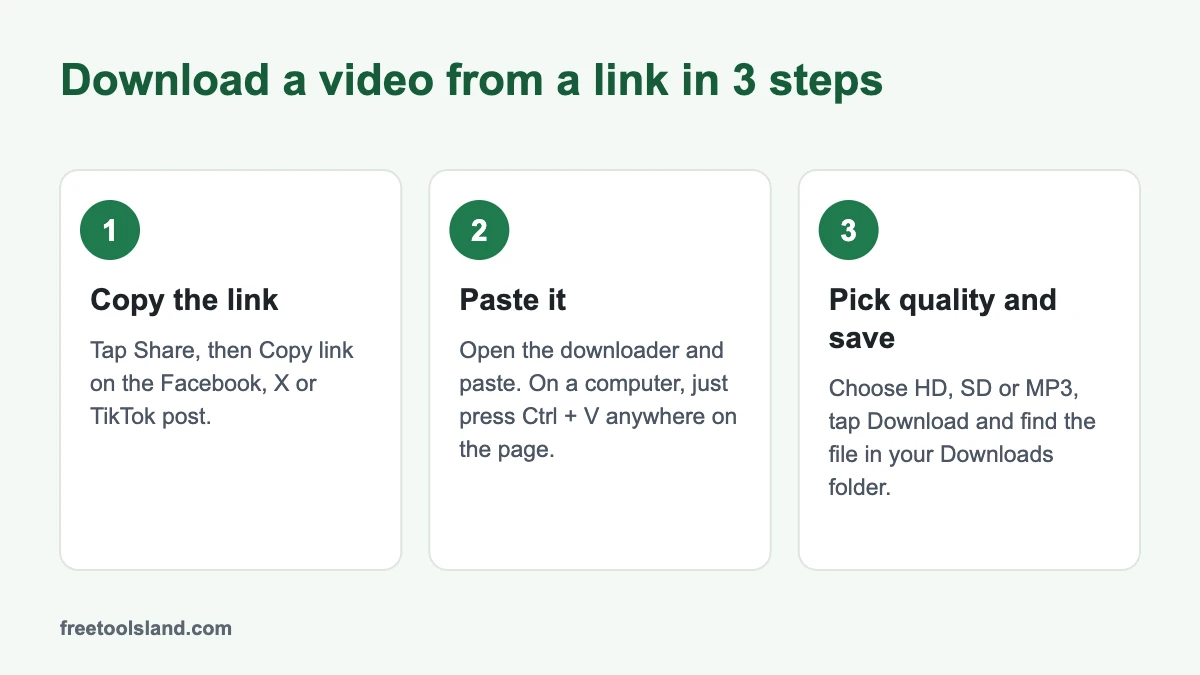
Copy the video’s link, paste it into a downloader, pick the quality, save. That is the same on every platform; only the place where you copy the link changes.
How to download a Facebook video or Reel
- Open the video or Reel on Facebook and tap Share › Copy link. On a computer, you can copy the address bar instead.
- Open the Facebook Video Downloader and paste the link (on a computer, Ctrl+V anywhere on the page works).
- Tap Download next to HD or SD. The MP4 lands in your Downloads folder.
Links like facebook.com/reel/…, fb.watch/… and facebook.com/share/v/… all work. Private videos, closed groups, Stories and live streams that are still running do not, because the downloader can only see what a logged-out visitor can see.
How to download a Twitter (X) video
- On the post, tap the Share icon and choose Copy link.
- Paste the link into the X (Twitter) Video Downloader.
- Pick a quality and download the MP4.
It works for public posts on x.com and twitter.com links. Videos from protected (private) accounts cannot be downloaded.
How to download TikTok videos without watermark
- In TikTok, tap Share › Copy link on the video.
- Paste it into the TikTok Video Downloader.
- Choose HD, no watermark, with watermark or audio only (MP3).
Short links from the app (vm.tiktok.com and vt.tiktok.com) work, and photo slideshows download as separate pictures. If you are reposting someone else’s TikTok with their permission, keep the watermarked version or credit them clearly: the watermark is how viewers find the creator.
Downloading on iPhone, Android and PC
| Device | What to know |
|---|---|
| Android | Works in Chrome. The file goes to Downloads and shows up in your gallery or Files app. |
| iPhone and iPad | Use Safari. After download, tap the arrow icon in the address bar, open the file and tap Share › Save Video to put it in Photos. |
| Windows and Mac | Paste with Ctrl+V or Cmd+V anywhere on the page. The MP4 plays in any video player. |
Not sure which platform a link is from? Paste it into the Video Downloader and it sends you to the right one.
Is it legal to download videos from Facebook, X or TikTok?
Downloading a video for your own offline viewing is a grey area that most people never get into trouble for, but it is not the same as owning it. A few clear rules keep you on the right side:
- Your own videos are always fine. Backing up your own Reels or TikToks is the most common and least risky use.
- Re-uploading someone else’s video needs their permission, even with credit. Copyright belongs to the creator.
- Platform terms apply. Facebook, X and TikTok each have terms that limit downloading through unofficial tools, so use downloads for personal reference, not for republishing.
- Commentary, review and news use may be allowed under fair dealing rules in India or fair use in the US, but that depends on how much you use and why. If in doubt, ask the creator or a lawyer.
In short: watch offline, keep a copy of your own work, and ask before you post anyone else’s.
Why a download might fail
- The video is private, in a closed group or behind a login.
- The post was deleted or the account was made private after the link was shared.
- The link is a profile or page link, not a link to a single video.
- It is a live stream that has not ended yet. Try again once it finishes.
Editing the clips you saved? See our comparison of the best AI video editors, several of which are free.
Got the video? A few more free tools help with what comes next. The Pinterest video downloader and Snapchat video downloader work the same way, and the video compressor shrinks a large download so it fits WhatsApp or email.
Frequently asked questions
Can I download Facebook videos without an app?
Yes. The Facebook Video Downloader works in your phone browser, so there is nothing to install and no login.
How do I download a video from X on iPhone?
Copy the post link, paste it into the X (Twitter) Video Downloader in Safari, download the MP4, then use Share › Save Video to move it into Photos.
Is downloading TikTok videos without watermark legal?
Saving a public video for personal viewing is generally tolerated, but reposting it without the creator’s permission is not. Removing the watermark does not change who owns the video.
Can I download Instagram Reels the same way?
Yes. Copy the Reel or post link in Instagram and paste it into our Instagram Video Downloader. It works for public accounts; private accounts and Stories are not supported. If you edit photos for Instagram, our Instagram photo editing guide may help.
Updated November 2026. Only download videos you own or have permission to use. This article is general information, not legal advice.
Sources
Checked in November 2026: